- Sign in to Outlook.com.
- Select
 at the lower left corner of the page to go to the People page.
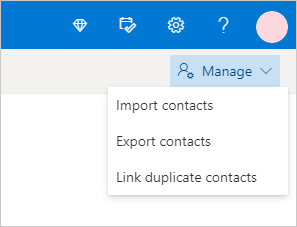
 - On the far right of the toolbar, select Manage > Export contacts...
- Choose to export all contacts or only contacts from a specific folder, and then select Export.
- At the bottom of the page, select Save to save "contacts.csv" in your default Downloads folder. Or, select the arrow next to Save and select Save as.